Quick start user guide
SensWeb + SMX WEB KIT
This instruction manual is designed for users who want to use the SensMax cloud service to store data collected by the SensMax visitor counting system.
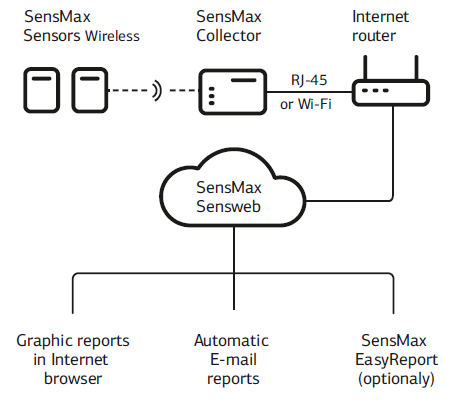
Benefits of SensWeb:
- There is no need for a dedicated server for the visitor counting system.
- All collected data is stored on SensMax servers and is accessible at any time.
- Your data is secure. SensWeb is protected by SSL encryption.
- You only need a web browser to view your statistics.
- SensWeb provides automated email reports.
- You can use SensMax EasyReport in conjunction with SensWeb.
1. Creating a SensWeb Account
- Visit my.sensmax.eu
- Fill out the registration form (ensure you use a valid email address).
- Log in to your newly created account.
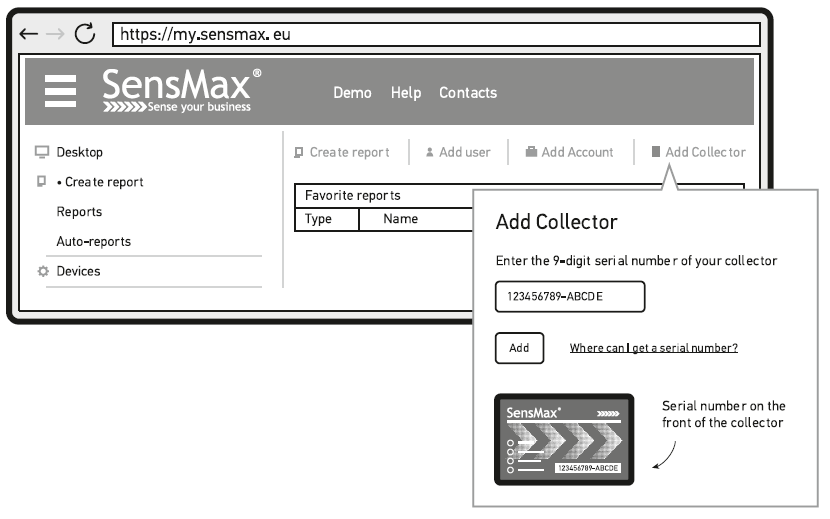
2. Registering the Data Collector in SensWeb
- Click 'Add collector' and enter the code printed on the collector's enclosure.
3. Connecting the Data Collector
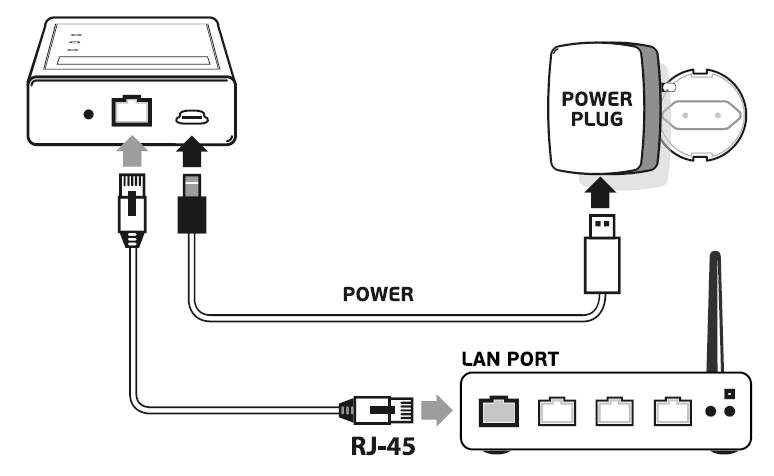
Note: The collector is set by default to receive Internet settings automatically (DHCP mode).
- Connect the RJ-45 network cable to your internet router.
- Connect the power cable to the collector.
- If everything is connected correctly, the red SERVER LINK indicator on the collector will light up.
4. Sensor Installation
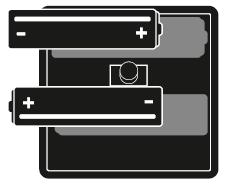
- Insert the batteries into the sensor, but do not close the enclosure yet.
- Go to the intended installation location and check the radio link between the sensor and the collector. To do this, press the PAIRING button inside the sensor. If the radio link is successfully established, the sensor will beep twice, and the green STATUS indicator will blink.
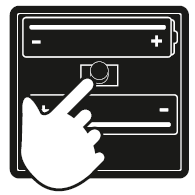
- Assemble and close the sensor using the provided screws.
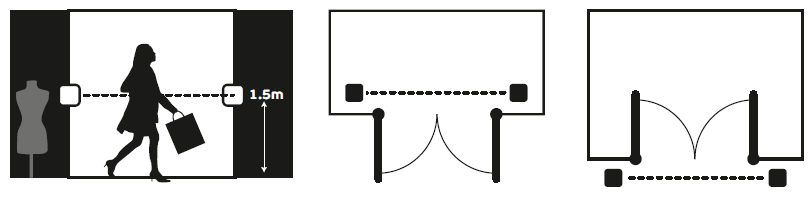
- Install the sensor at the entrance or passage, following the recommendations in the diagrams below.
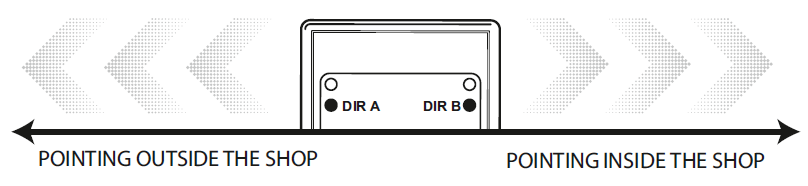
- Please note: If you are using a bi-directional sensor (model D3), by default, outgoing visitors should pass in direction A, and incoming visitors in direction B.
- The sensor should appear in your SensWeb account within 5 to 10 minutes.
- Go to my.sensmax.eu and navigate to the Devices section to verify that the new sensor has appeared in the system.
Note: The collector can only read data from sensors that have been paired with it in advance. The sensor and collector included in the WEB KIT are pre-paired during manufacturing, so no further action is required. If you need to pair additional sensors, please refer to the PAIRING ADDITIONAL SENSORS section.
5. Creating Your First Report
Once the sensor has counted several visitors and transferred the data to SensWeb, you can create your first report. Please note that data synchronization occurs every 20 minutes.
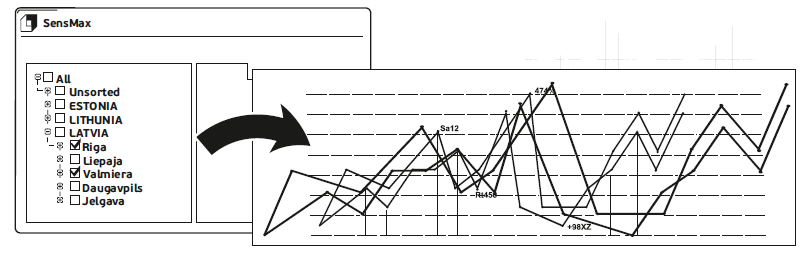
- Click the 'Create Report' button.
- Select the required sensors to display on the chart.
- Select the desired report type.
- Click 'Save and show'.
PAIRING ADDITIONAL SENSORS TO THE DATA COLLECTOR
Each collector can read data from 10 to 30 sensors (depending on the model). New sensors must be paired with the collector. To complete the pairing process, follow these steps:
- Connect the collector to its power supply.
- Insert the batteries into the sensor.
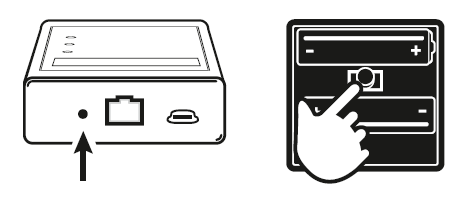
- Press the 'PAIRING' button on the collector using a pen or pencil. The RFLINK indicator will start blinking.
- You now have 10 seconds to confirm the pairing by pressing the 'PAIRING' button inside the sensor.
Contacts
- Phone: +371 67553110
- Email: office@sensmax.lv
- Website: www.sensmax.eu
- Telegram: t.me/sensmax
- Facebook: facebook.com/sensmaxmanufacturer
- LinkedIn: linkedin.com/company/sensmax
SensMax is a registered trademark. SensMax reserves the right to make changes to the products described herein without prior notice. The information contained in this publication regarding device applications and the like is provided solely for your convenience. SensMax disclaims all liability arising from this information and its use. The use of SensMax devices in life-support and/or safety-critical applications is entirely at the buyer's risk, and the buyer agrees to defend, indemnify, and hold harmless SensMax against any and all damages, claims, suits, or expenses arising from such use. No licenses are conveyed, implicitly or otherwise, under any intellectual property rights of SensMax.