Telegram connection
This application note describes how to obtain Telegram settings for using of Telegram notifications in SensMax devices. For sending of Telegram messages need to have the Telegram Token and Telegram Chat ID.
1. Telegram Token
To obtain Telegram Token, please do following steps:
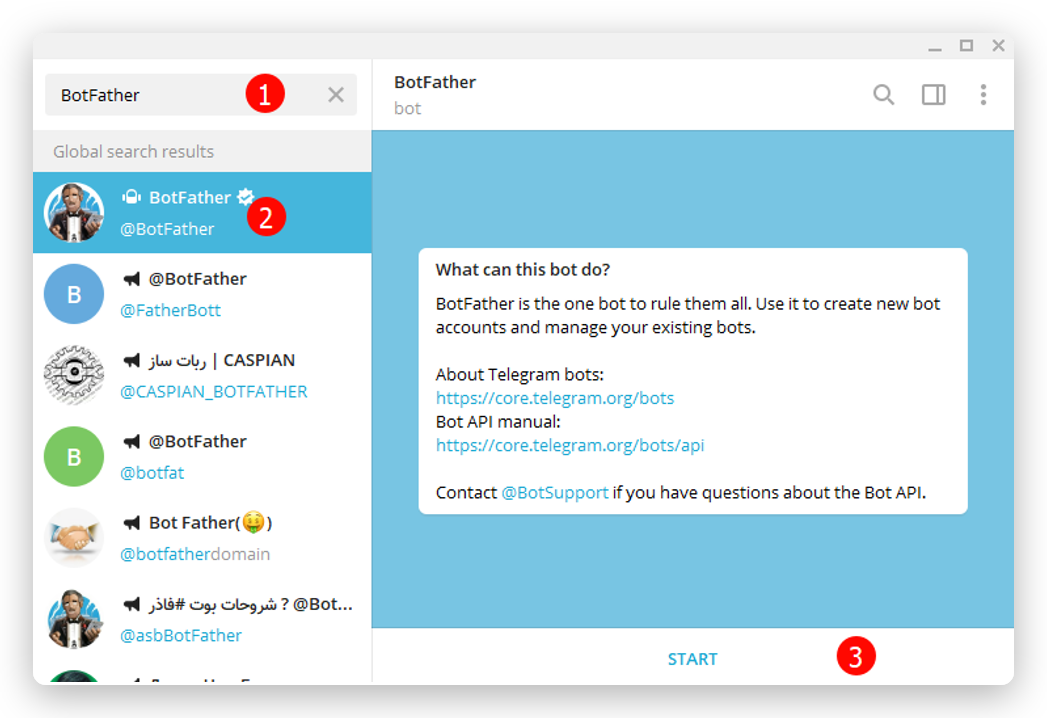
- Open your Telegram Messenger tap in search box and input BotFather.
- Click on BotFather chat in search list.
-
Click START button.
-
Input the
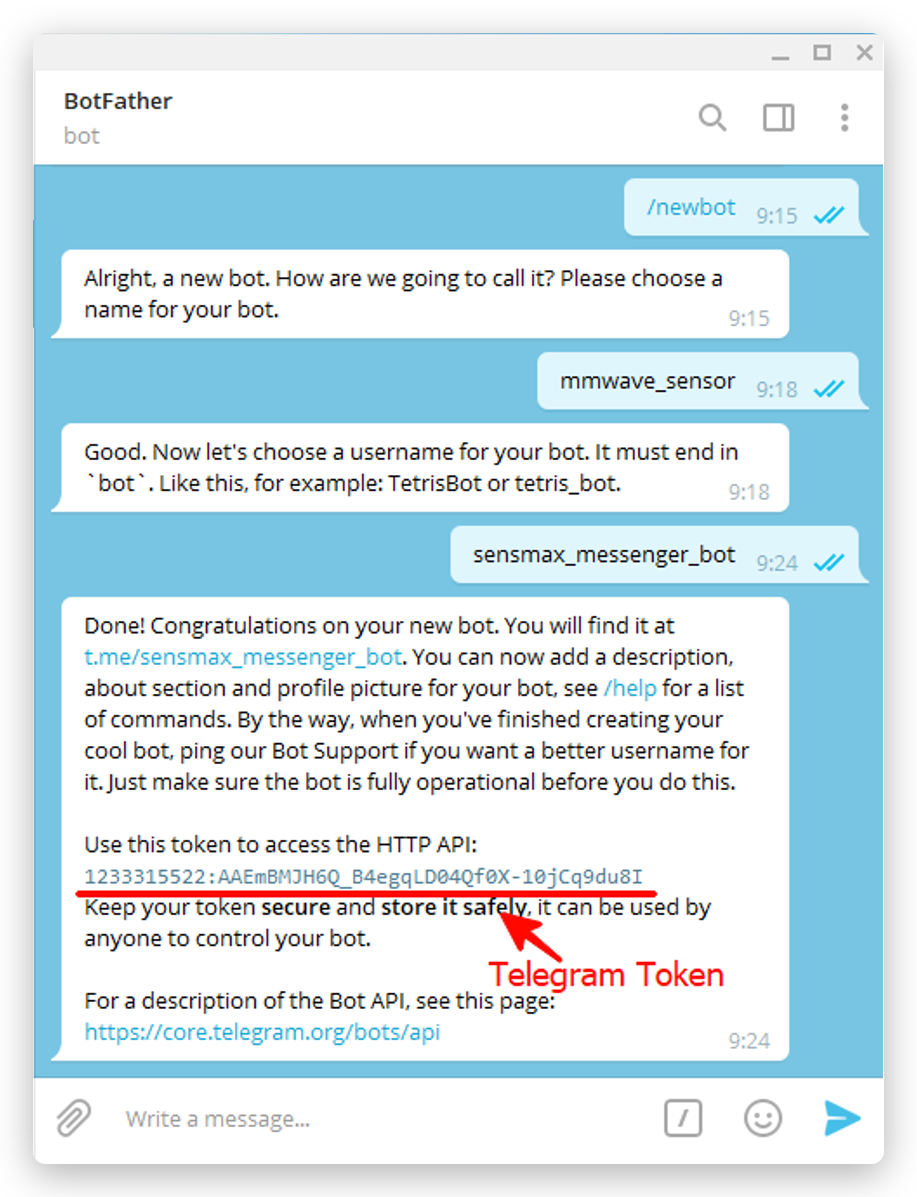
/newbotmessage and send it to BotFather chat. - Now BotFather asking for name. Please input any name and send it to BotFather (for example,
mmwave_sensor). - Now BotFather asking for user name. It should be unique name, which ends by "bot" (for example,
sensmax_messenger_bot).
After these steps, you will get the Telegram Token (e.g. 1233315522:AAEeBMJH6Q_B4egqLD04QF0X-10jCq9du8I). Keep your token secure.
2. Launch your bot
In previous paragraph we have created own Telegram bot and obtained the Telegram Token. Now you need to launch the bot so that it can send messages.
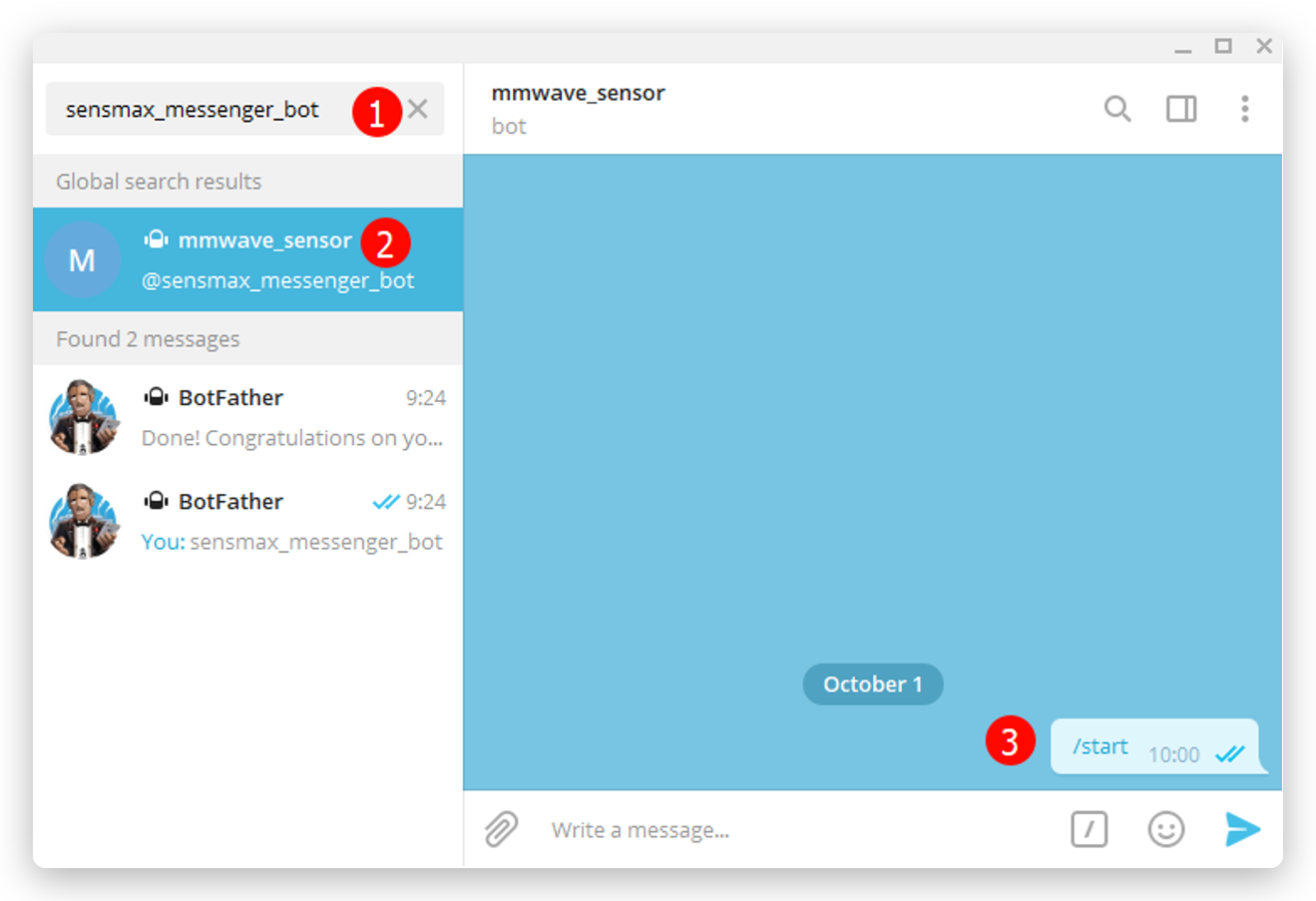
- Go to Telegram search box. Input name of your bot (for example,
sensmax_messenger_bot). - Click on @sensmax_messenger_bot in search results.
- Press START button.
3. Telegram Chat ID
This method describes how to obtain Telegram Chat ID and receive messages in your Telegram Channel.
- Go to Telegram menu and press the New Channel button.
- Input channel name. For example,
mmWave message center. - Select PRIVATE or PUBLIC channel according to your requirements.
-
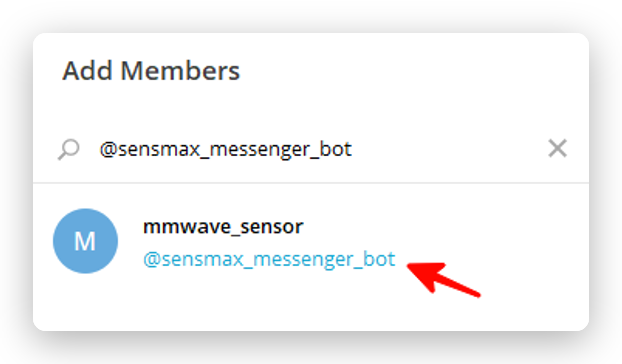
On next step you will need to add members to your channel. Please add all recipients you want, also don't forget to add your bot (which you created in the first paragraph).
-
When bot was added, Telegram will ask you, make your bot admin or not. Press MAKE ADMIN.
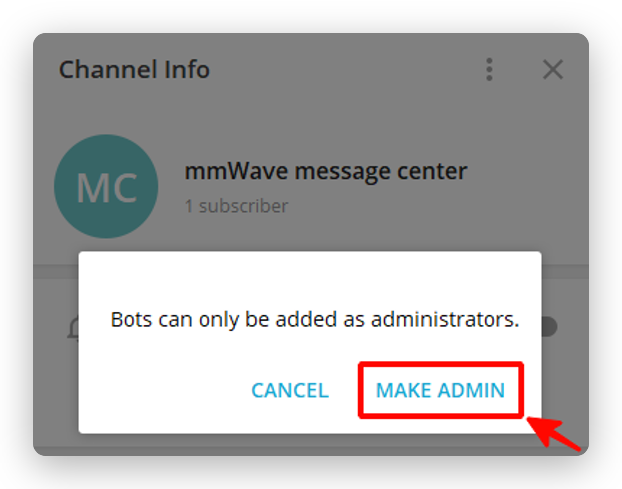
- Now send any message to your new Channel. This is necessary because Telegram API requires some message for generating answer to
/getUpdatesmethod (described in next step).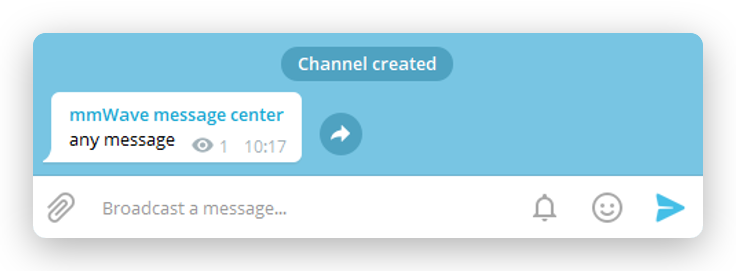
- Open the web browser. In address bar input following link:
https://api.telegram.org/bot<TELEGRAM_TOKEN>/getUpdates
Note: replace <TELEGRAM_TOKEN> with the token that you obtained in first paragraph. Keep the word bot in the URL, e.g. https://api.telegram.org/bot1233315522:AAEe.../getUpdates.
- In browser's window will be Telegram API answer which contains the Chat ID.
Example answer:
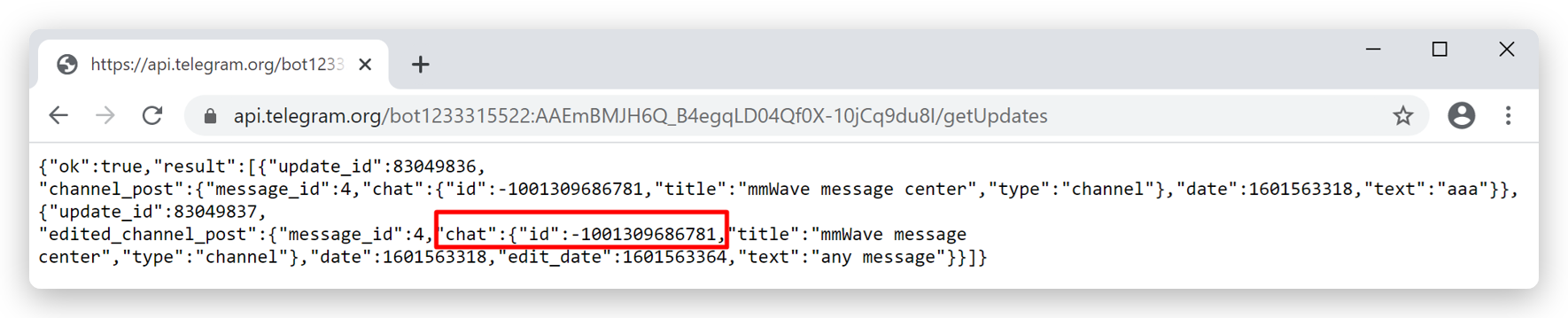
The Chat ID for this example is -1001309686781. Copy this value to use it in SensMax devices settings.